Easy Popups docs · Basic Options
Display
The Basic Options tab allows you to configure the fundamental options for your popup
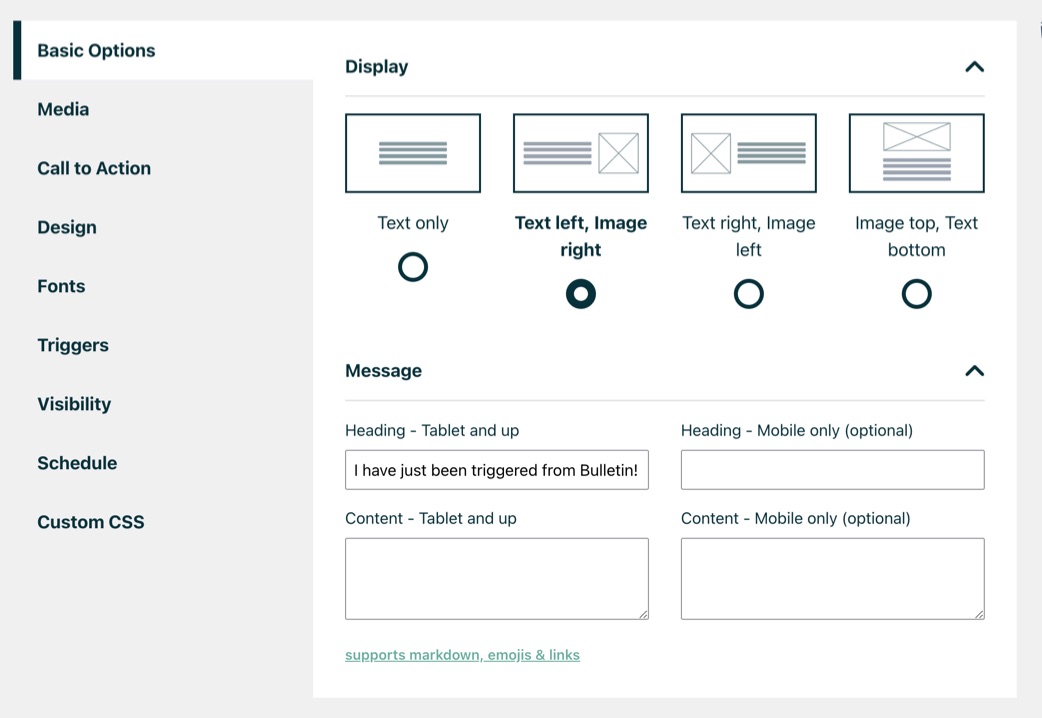
Display:
Choose from 4 layout options:
- Text only
This option will create a popup without any image and just have text and optionally a button or a form - Text left, Image right
Here the text will be left aligned and the image on the right - Text right, Image left
Here the text will be right aligned and the image on the left - Image top, text bottom
The image will be on top and text below
Was this guide helpful?
Thanks! Glad it helped.
Thanks. Tell us what was missing and we’ll improve this guide: contact support.