Easy Popups docs · Triggers
Set a few different rules on when the Popup should appear
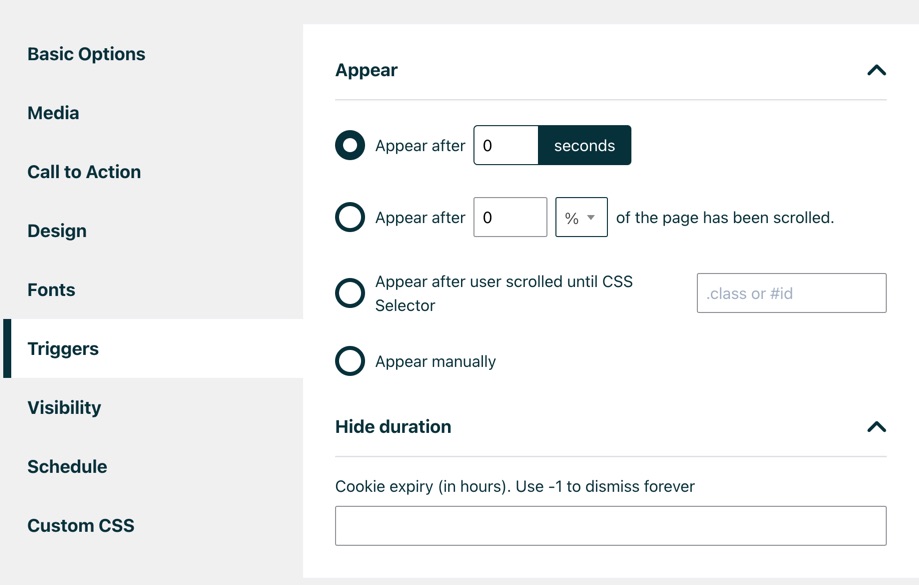
In the Appear section you can set a few different rules on when the Popup should appear:
- Appear after X seconds
- Appear after X % or px of the page has been scrolled
- Appear after user scrolled until CSS selector has been reached
- Appear manually – with this you can trigger it with Javascript from anywhere in your code
In the Hide duration – you can set how long the popup should not show for the user after they closed it. Note: this only applies to the current browser they user is using.
Was this guide helpful?
Thanks! Glad it helped.
Thanks. Tell us what was missing and we’ll improve this guide: contact support.